PrintAvera Collection
Plan Projects & Content Like a Pro
From full project plans to content calendars and podcast workflows, these tools bring order to ambitious creative work. Map every deadline, deliverable and episode in a layout that keeps you focused and on schedule.
Creative work thrives on ideas, but it survives on systems. Whether you are managing a launch, filling a content calendar, recording a podcast, or simply trying to keep a personal project from quietly stalling, the difference between feeling scattered and feeling in control almost always comes down to two things: a clear place to plan, and a steady rhythm to follow. Inspiration is wonderful, but it is structure that gets the work finished.
If you have ever stared at a blank week with a hundred half-formed ideas and no plan, you know the particular weight of creative chaos. It is not laziness and it is not a lack of talent. It is the exhausting mental tax of holding everything in your head at once, where every loose end nags for attention and nothing feels truly done. A little structure does not stifle creativity. It protects it, by handling the logistics so your best energy can go to the actual making.
This guide walks through the frameworks that keep creative people consistent without burning out: breaking big projects into visible steps, building a content calendar you can genuinely sustain, batching your work so you are always a step ahead, running a repeatable podcast or creator workflow, and quietly beating the overwhelm that makes talented people freeze. Take the parts that fit how your mind works, and let the systems carry the load your memory should not have to.
A Peek Inside
See the Quality for Yourself
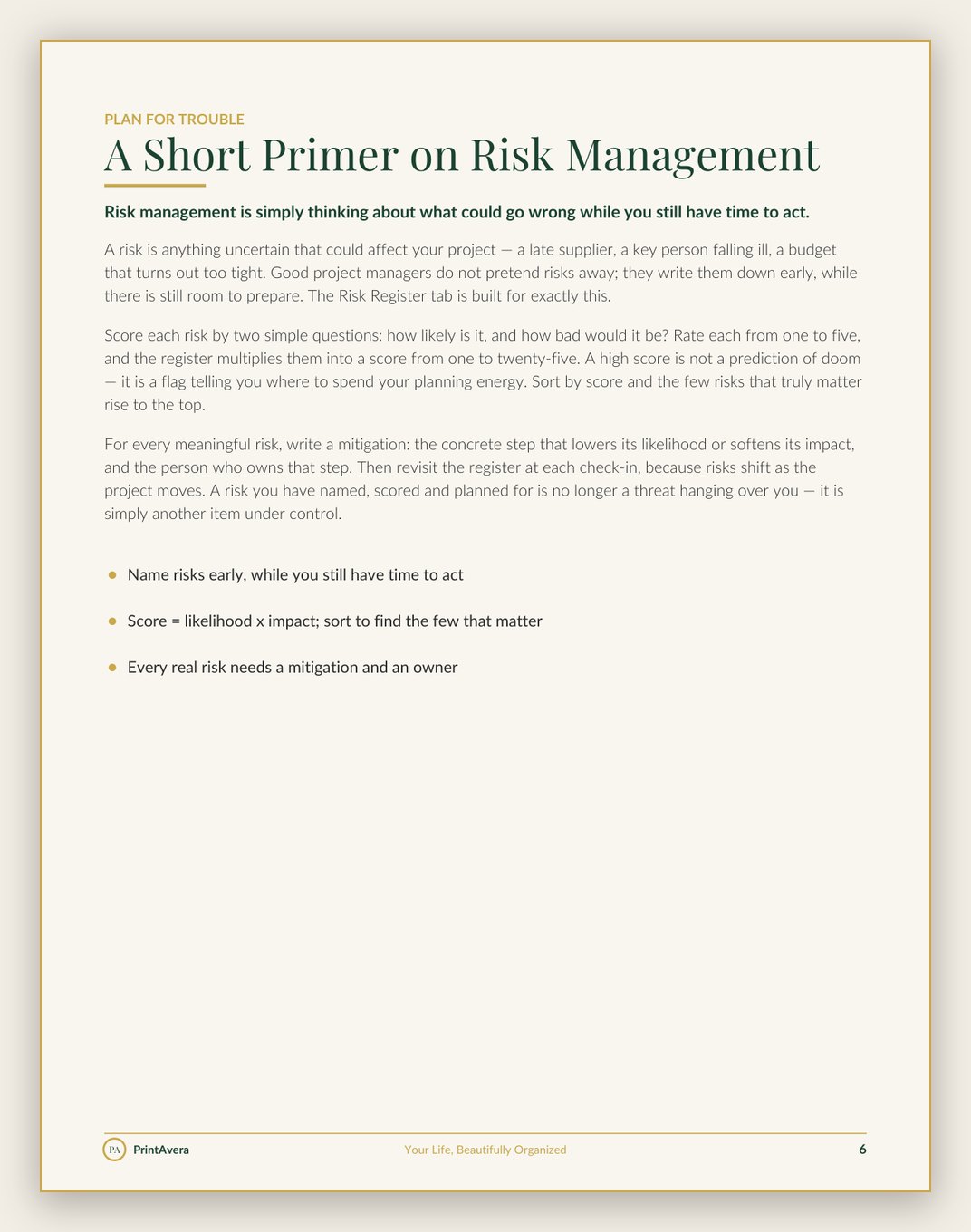
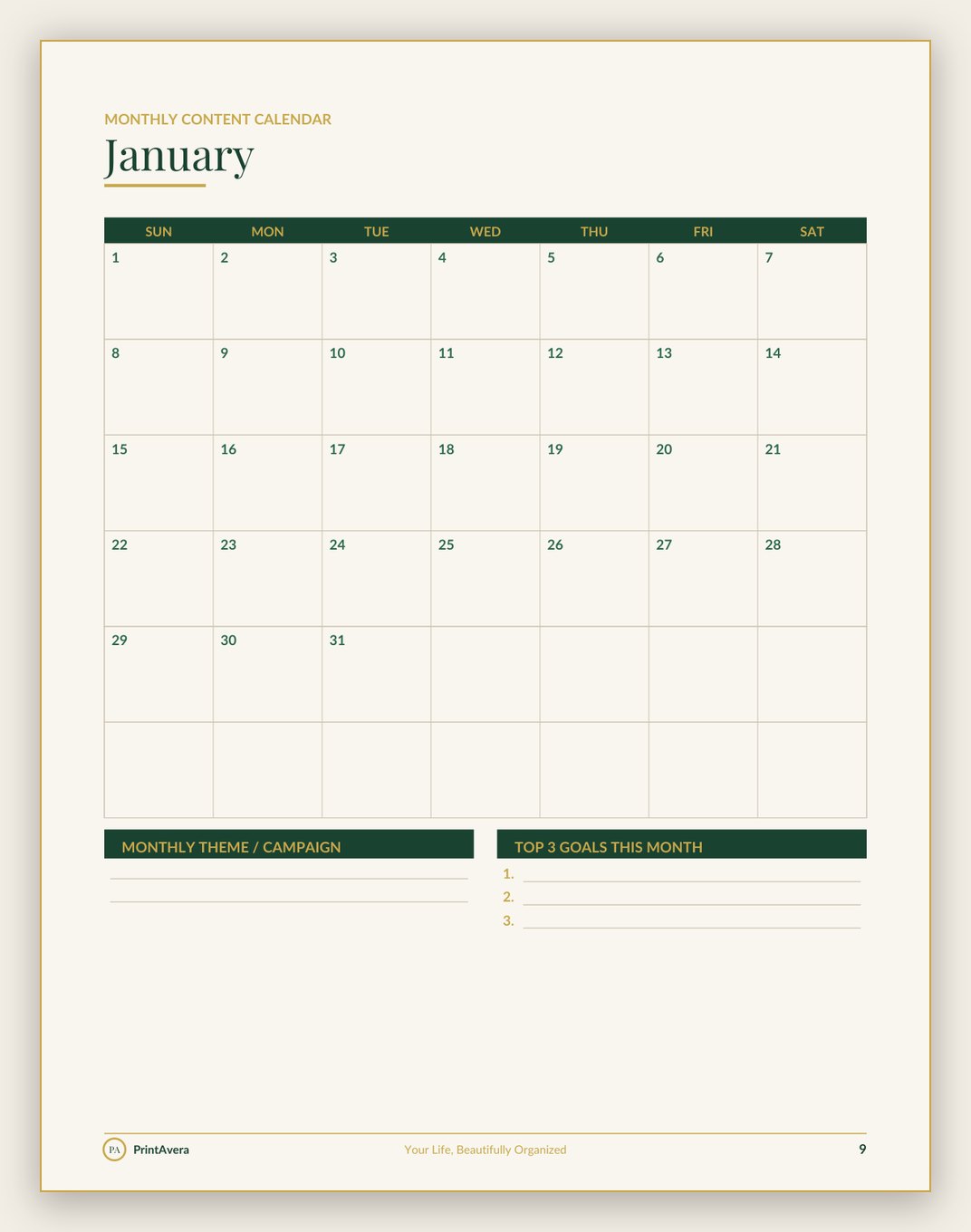
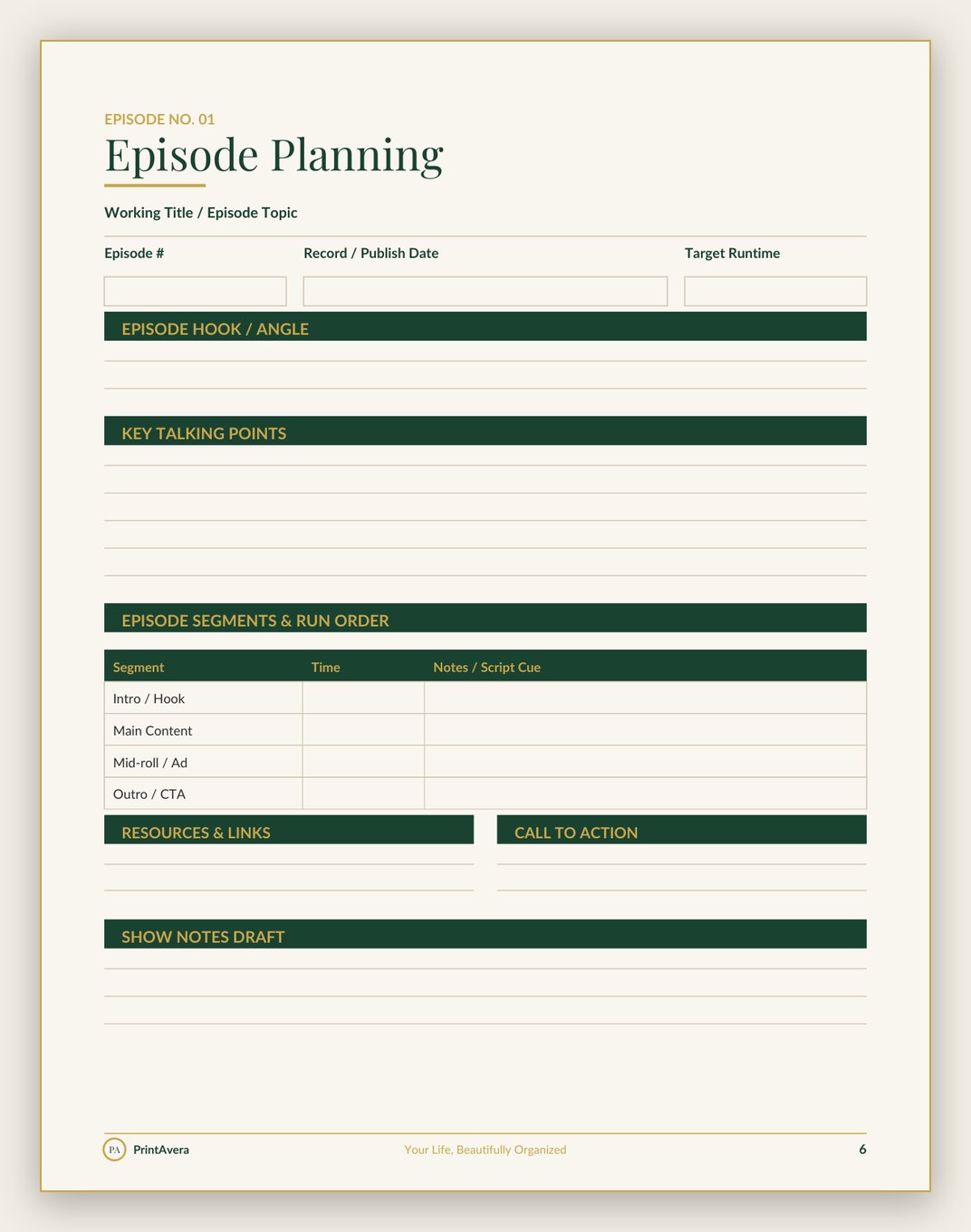
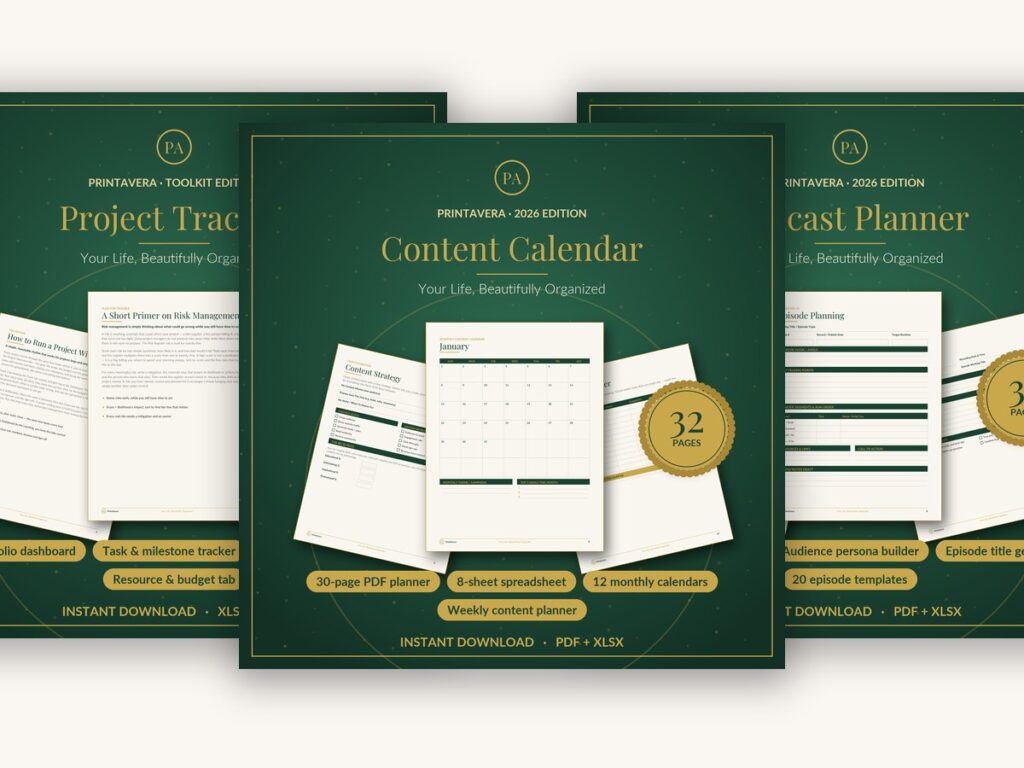
Real pages from this collection — every spread designed in our signature forest-green and gold style. See them all on Etsy →
Shop the Collection
Content & Project Tools
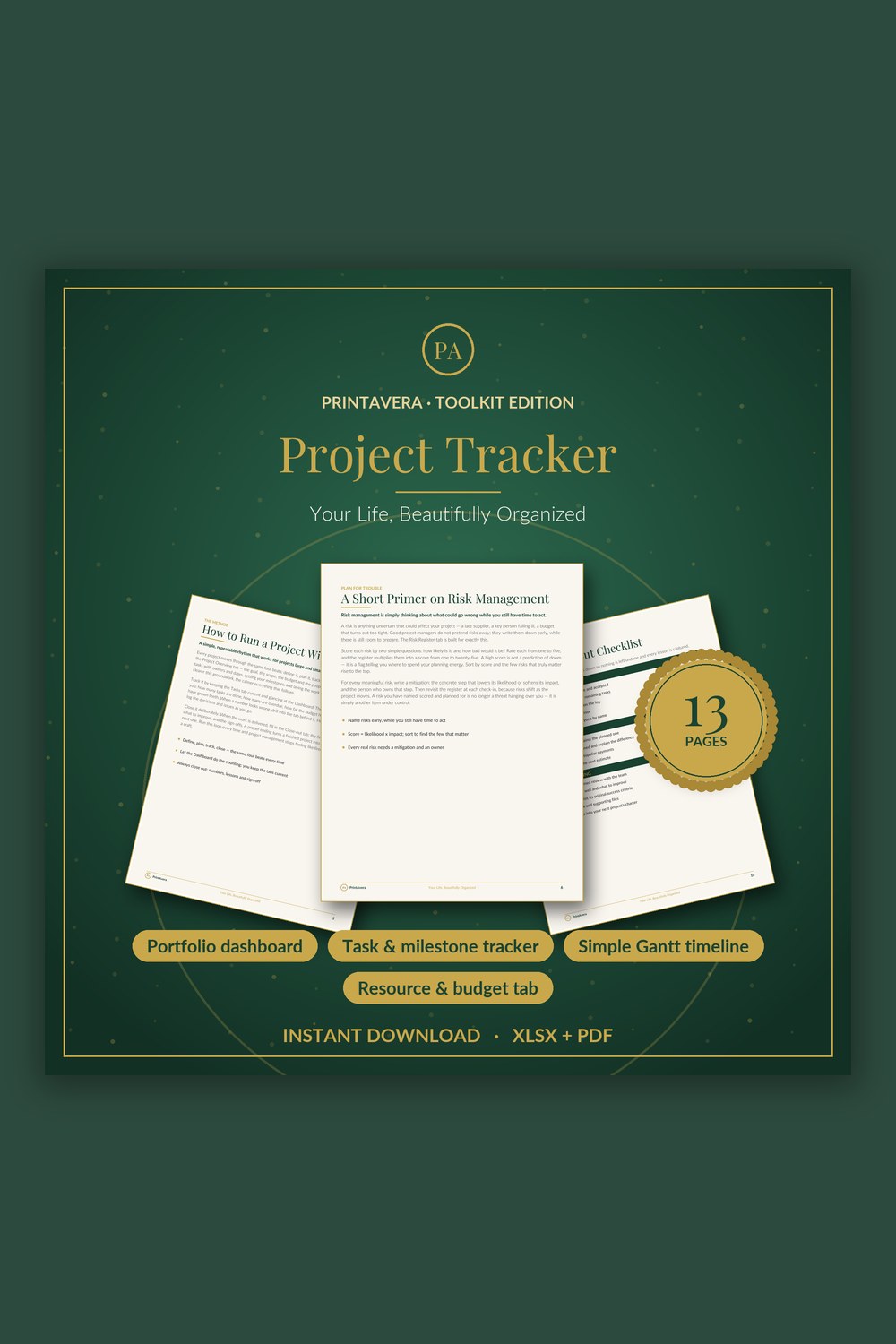
Project Tracker Excel Template
Run any project with confidence from a single workbook — tasks, milestones, a simple Gantt, budget and risks all roll up into one live dashboard that tells you status, overdue count and spend at a glance.
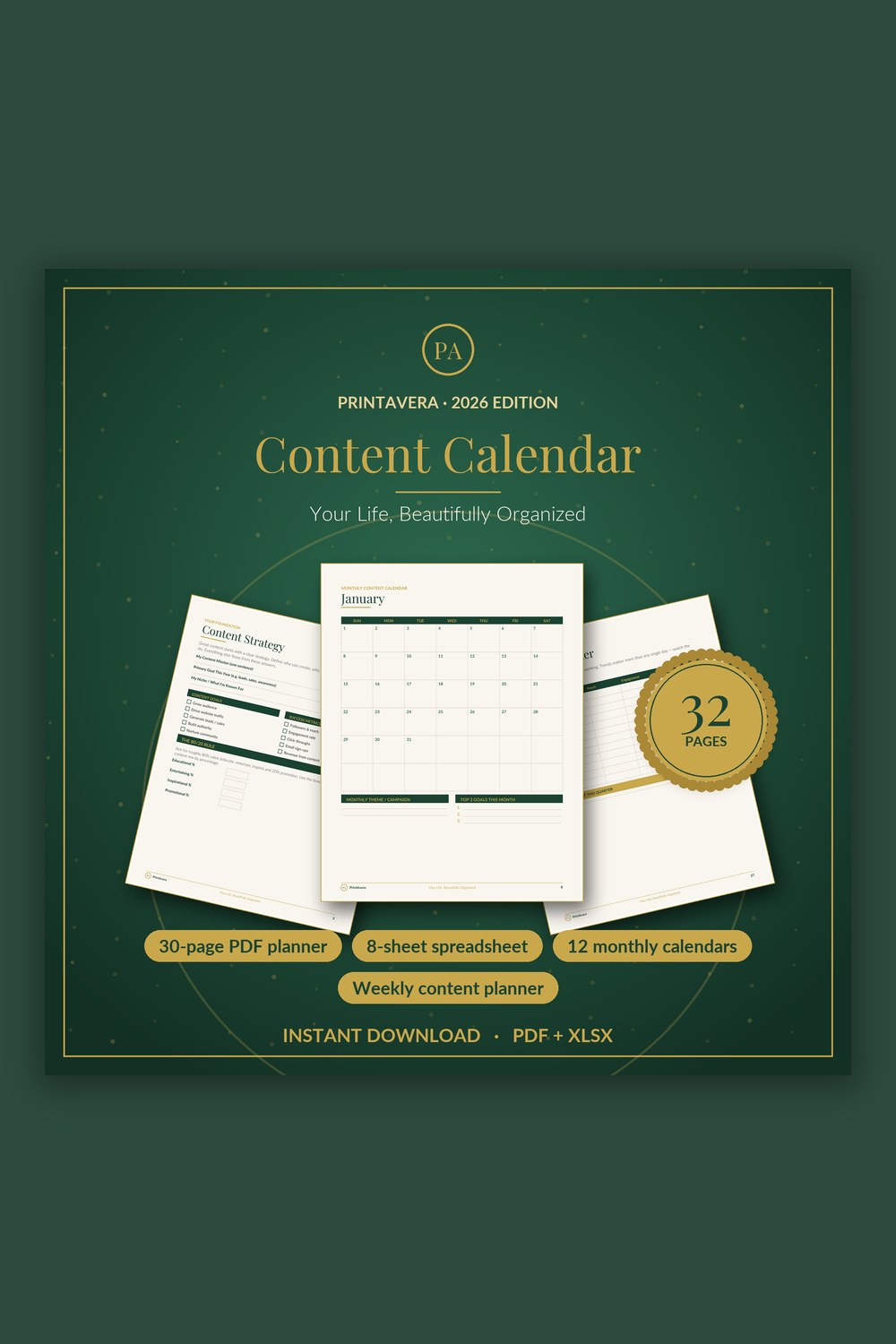
Content Calendar Template
Turn scattered ideas into a calm, consistent content system across every platform.
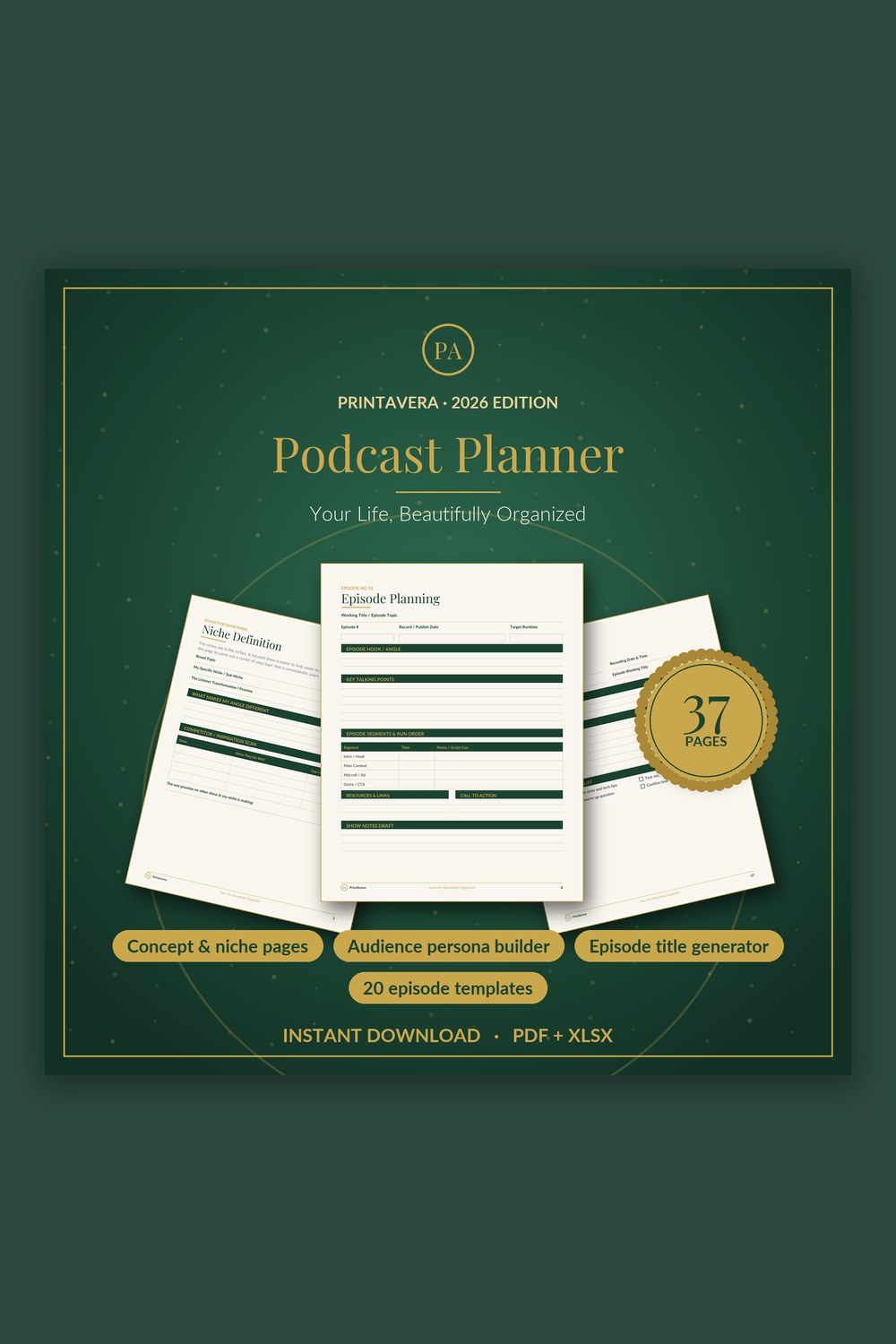
Podcast Planner Template
Everything you need to plan, record, and grow a podcast you're proud of — in one calm, beautiful system.
The Complete Guide
Break Big Projects Into Visible Steps
Large projects feel overwhelming because the brain sees one enormous, vague task instead of many small, doable ones. Launch the course. Rebrand the shop. Produce the season. Stated that way, the work is so big it triggers avoidance rather than action. The first move is always to break it down into clear steps, each with an owner and a date, so progress becomes something you can see rather than something you only hope is happening somewhere.
Once the whole project lives outside your head, you stop carrying it as anxiety.
Work backward from the finish line. Name the outcome, then map the major milestones, the meaningful checkpoints, and only then fill in the smaller tasks that lead to each one. Watch especially for dependencies, the tasks that cannot start until something else is done, because those hidden chains are where most delays quietly begin. When you can see that the designer cannot start until the copy is approved, you schedule the copy first instead of discovering the bottleneck the week before launch.
A project tracker holds your deadlines, dependencies, and current status in one view, which makes it instantly obvious what needs attention now and what can safely wait. The magic is not the tool itself but what it does to your mind: once the whole picture lives somewhere outside your head, you stop carrying it as background anxiety. Decisions get easier, surprises get rarer, and the project moves forward in calm, visible increments instead of frantic late-night sprints. A project tracker template gives you that structure without building it from scratch.
- Define the finish line, then the key milestones, before listing any tasks
- Assign an owner and a due date to every meaningful task
- Map dependencies so you tackle blocking tasks first
- Track status so slipping or stuck items surface early, not at the deadline
- Build in buffer time, because creative work rarely goes exactly to plan
Build a Content Calendar You Can Actually Sustain
Consistency beats intensity every time when it comes to content. Posting in unpredictable bursts and then vanishing for three weeks confuses your audience and quietly burns you out, while a steady, realistic rhythm builds the kind of trust that compounds. The goal is not to publish constantly or to chase every trend. It is to publish dependably, at a pace you can keep on an ordinary, busy, slightly tired week, not just an inspired one.
A good content calendar is a runway, not a cage.
The way to get there is to plan around themes and key dates rather than scrambling for an idea every morning. Decide on a few content pillars, the handful of topics you want to be known for, and let your calendar rotate through them so you always know roughly what comes next. Map the seasons, launches, and dates that matter to your audience in advance, then slot ideas into the gaps. Planning at the theme level removes the daily blank-page panic that drains so much creative energy.
A content calendar template gives you a bird's-eye view of what is going out and when, which makes gaps and overload obvious before they become a problem. You can see at a glance that you have three posts crammed into one week and nothing the next, and rebalance with a quick drag rather than a stressful scramble. Leave a few flexible slots open for timely or spontaneous ideas, so your plan supports your creativity instead of boxing it in. A good calendar is a runway, not a cage.
- Choose a posting frequency you can keep on a busy week, then protect it
- Define a few content pillars so you always know what comes next
- Map seasons, launches, and key dates well in advance
- Leave flexible slots for timely or spontaneous ideas
- Use the calendar view to spot gaps and overload before they bite
Reader Favourite
Project Tracker Excel Template
Run any project with confidence from a single workbook — tasks, milestones, a simple Gantt, budget and risks all roll up into one live dashboard that tells you status, overdue count and spend at a glance.
Batch Your Work So You Are Always a Step Ahead
Batching is the single habit that most separates creators who feel calm from those who feel perpetually behind. Instead of writing one post, designing one graphic, or recording one video each day, you group similar tasks and do them together: draft four pieces in one focused sitting, then design all the graphics in another, then schedule the whole batch at once. Each switch between different kinds of work carries a hidden cost in focus and warm-up time, and batching simply stops paying it over and over.
Create from a calm, stocked shelf instead of under today's deadline.
The deeper benefit is a buffer. When you batch a week or two of content ahead of when it publishes, a chaotic week, a sick day, an unexpected deadline, no longer breaks your consistency, because the work is already done and waiting. You move from creating under the pressure of today's deadline to creating from a calm, stocked shelf. That shift alone removes an astonishing amount of the low-grade stress that creative people carry without naming it.
Set up batching by blocking dedicated time for each mode of work and grouping like with like. A content session for writing, a separate one for visuals, a single sitting to schedule and caption everything. Keep a running list of ideas so you never sit down to a batch session empty-handed. A content calendar template makes batching natural, because you can see the upcoming slots you are filling and work several ahead with purpose rather than guessing what to make next.
- Group similar tasks and do them in one focused session
- Block separate time for writing, visuals, and scheduling
- Build a buffer of a week or two so a chaotic week cannot break your streak
- Keep a running idea list so you never start a batch session empty
Run a Smooth Creator or Podcast Workflow
Every episode or piece of content moves through the same stages: idea, prep, creation, editing, and publishing. The creators who make it look effortless are not more disciplined by nature; they have simply written that workflow down once, so it becomes a repeatable checklist instead of a fresh act of remembering each time. When the steps live on paper, your energy goes to the content itself rather than to recalling what comes next and worrying about what you forgot.
Ten minutes of prep can save an entire editing session.
For audio especially, good preparation is the quiet secret behind episodes that feel easy to listen to. Jotting down your talking points, your guest's details and bio, the questions you want to ask, and a simple intro and outro keeps a recording focused and dramatically reduces editing afterward. A rambling, unprepared recording becomes hours of cutting later, while ten minutes of prep can save you an entire editing session. Preparation is not the opposite of natural; it is what makes natural possible.
Build a repeatable system around your whole pipeline so nothing slips between recording and release. A podcast planner template keeps each episode's notes, segments, guest information, and to-dos together in one place, so you always know what stage every episode is in and what still needs doing before it goes live. Pair it with a project tracker for bigger seasonal arcs, and the entire production stops feeling like a scramble and starts feeling like a calm, well-rehearsed routine you could run in your sleep.
- Write your workflow down once so each episode follows a checklist
- Prep talking points, questions, guest details, and a simple intro and outro
- Keep each episode's notes and tasks together in one place
- Track which stage every episode is in so nothing stalls unnoticed
Find your perfect Content & Project Tools printable
Each design is an instant digital download — buy it, download it, and start today. Print at home or use it on any tablet.
Beat Creative Overwhelm Before It Freezes You
Creative overwhelm rarely comes from having too little to do. It comes from too many open loops competing for attention at once, every unfinished idea, half-made decision, and vague someday project quietly draining your focus. The mind is brilliant at having ideas and terrible at storing them, so when you try to keep everything in your head, you end up unable to fully start anything. The first relief is simply to get it all out and onto a page.
Overwhelm is rarely too much to do; it is too much held in your head.
Do a brain dump: write down every project, idea, and loose end with no filtering, then sort it. What needs doing now, what is a someday-maybe, what can be dropped entirely. The act of seeing the whole list is calming because it replaces a swirling, exaggerated sense of too much with a finite, manageable set of real things. Then choose just one next action, the single smallest concrete step you could take, and let everything else wait its turn without guilt.
From there, protect your focus by limiting how much you actively work on at once. Trying to advance ten projects simultaneously usually means finishing none, while seeing two or three through to completion builds the momentum and confidence that fuel the next round. Capture new ideas in a parking lot so they stop interrupting you, and trust your systems to hold them. A project tracker and content calendar working together let you set the rest down with confidence, because you know nothing is being forgotten, only waiting its turn.
- Brain dump every idea and loose end, then sort into now, later, and drop
- Choose one small next action and let the rest wait without guilt
- Limit how many projects are active at once to actually finish things
- Park new ideas in a trusted list so they stop interrupting your focus
Frequently Asked Questions
How far ahead should I plan my content calendar?
A practical starting point is to plan your themes a month or two ahead while drafting specific pieces a week or two out. Planning too far in detail tends to feel rigid and gets rewritten anyway, while planning too little leaves you scrambling for ideas each morning. The right horizon keeps you a comfortable step ahead without feeling locked into decisions your future self may want to change. Think of it as a flexible map, not a fixed contract.
What exactly is batching and why does it help so much?
Batching means grouping similar tasks and doing them together, like writing four posts in one sitting instead of one a day across the week. It helps because every switch between different kinds of work carries a hidden cost in focus and warm-up time, and batching stops you paying that tax repeatedly. It also lets you build a buffer of finished content, so a chaotic week no longer breaks your consistency. Most people find it both faster and far less stressful than creating one piece at a time.
How do I stay consistent without burning out?
Choose a pace you can keep on a busy, ordinary week rather than an inspired one, and build a buffer of finished content so a hectic stretch does not break your streak. Batching similar tasks and following a simple repeatable workflow reduces the mental load each time you sit down to create. Consistency comes from sustainable systems, not heroic bursts of effort that leave you depleted. When the structure carries the logistics, you have far more energy left for the creative part.
What is the best way to keep a creative project on track?
Break the project into visible steps with clear owners and deadlines, then check progress at a regular, predictable time rather than only when something feels wrong. Pay special attention to dependencies, the tasks that block other tasks, since those are where delays usually begin. A single shared view of status keeps everyone aligned and stops small slips from quietly snowballing into a missed launch. Building in a little buffer time protects you when creative work inevitably takes longer than planned.
How do I prepare for a podcast episode so it runs smoothly?
Outline your talking points or questions in advance, confirm any guest details and bio, and prepare a simple intro and outro so you are not improvising the framing on the spot. A short prep sheet keeps the conversation focused and cuts down enormously on editing afterward. Keeping each episode's notes, segments, and tasks in one place makes the whole season easier to manage and ensures nothing slips between recording and release. Ten minutes of preparation often saves hours of cleanup later.
I feel overwhelmed by all my creative ideas. Where do I start?
Start by getting everything out of your head and onto a page in one unfiltered brain dump, then sort it into what to do now, what is a someday-maybe, and what to let go. Seeing the full list is calming because it replaces a vague sense of too much with a finite, manageable set of real things. Then pick just one small next action and let the rest wait without guilt. Limiting how many projects are active at once is what actually lets you finish them.
Are these planners and templates instant digital downloads?
Yes, they are instant digital downloads available right after purchase, with nothing shipped to you. The project tracker, content calendar, and podcast planner open in common tools so you can customize them to your own projects, seasons, and episodes. Printable planner pages can be printed at home or used on a tablet if you prefer to plan by hand. Once downloaded, the files are yours to reuse for as many projects, launches, or episodes as you like, with no subscription involved.
Why PrintAvera?
Every PrintAvera design is created in-house to a five-star standard — considered layouts, calm forest-green and gold styling, and typography chosen to make every page feel intentional. Each one is an instant digital download you can print at home or use on any tablet in minutes. Beautiful enough that you will actually want to use it, every single day.
Explore More Collections