PrintAvera Collection
Premium Digital & Printable Planners
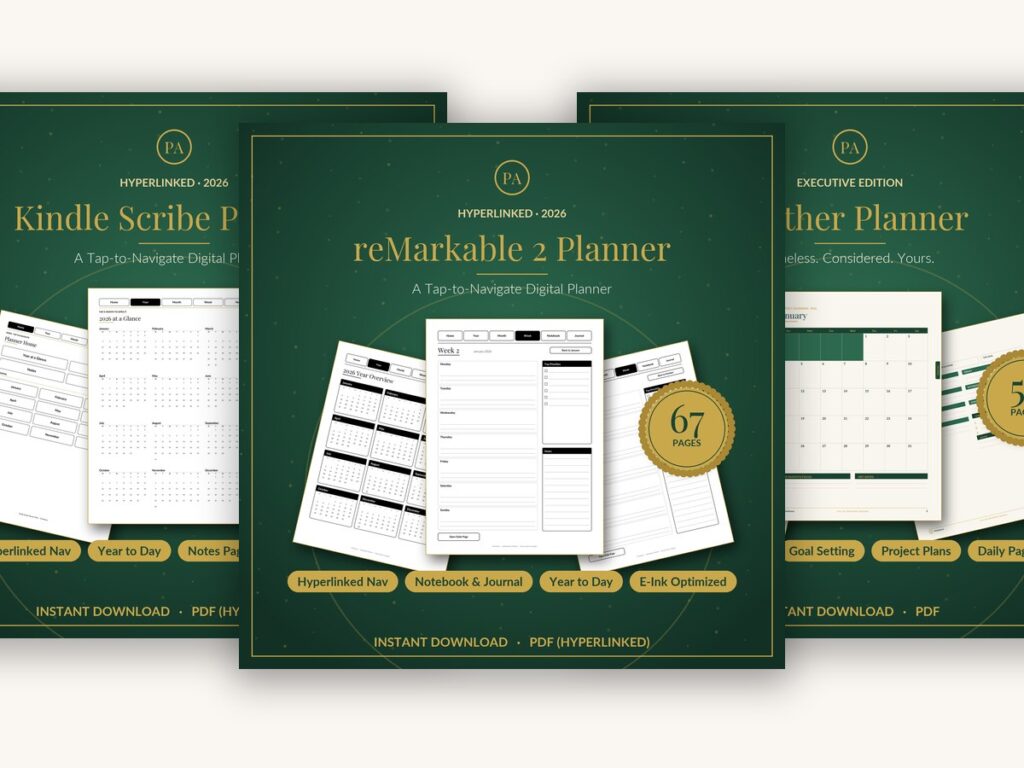
Beautifully designed planners for every device and every style – hyperlinked digital planners for Kindle Scribe, reMarkable and Notion, plus printable inserts and covers for your favourite ring binder. Plan your days with a quiet, editorial elegance.
Choosing how to plan is a surprisingly personal decision. Some people think best with a pen in hand and a page they can feel, while others want everything searchable, syncing, and tucked into a single device they already carry. Neither is more serious or more organised than the other, and there is no prize for choosing the harder path. The right system is simply the one you will actually open tomorrow, and the day after that, on the ordinary days when no one is watching.
If you have ever bought a beautiful planner and abandoned it by February, please know the answer is almost never more discipline. It is a better fit between the format, your routine, and the small frictions that quietly decide whether a system survives. A planner that lives in a drawer is not a failure of your character. It is usually a mismatch between how the tool works and how your actual days unfold, and once you see that, choosing well becomes far easier.
This guide walks through both worlds honestly, from hyperlinked digital planners on e-ink tablets to printable inserts in compact sizes and app-based setups in Notion or OneNote. We will compare the trade-offs, look at sizes and clever layouts, and talk about how to build a planning setup that lasts rather than one that dazzles for a month. By the end you should know exactly which format suits the way your mind genuinely works, not the way you wish it did.
A Peek Inside
See the Quality for Yourself
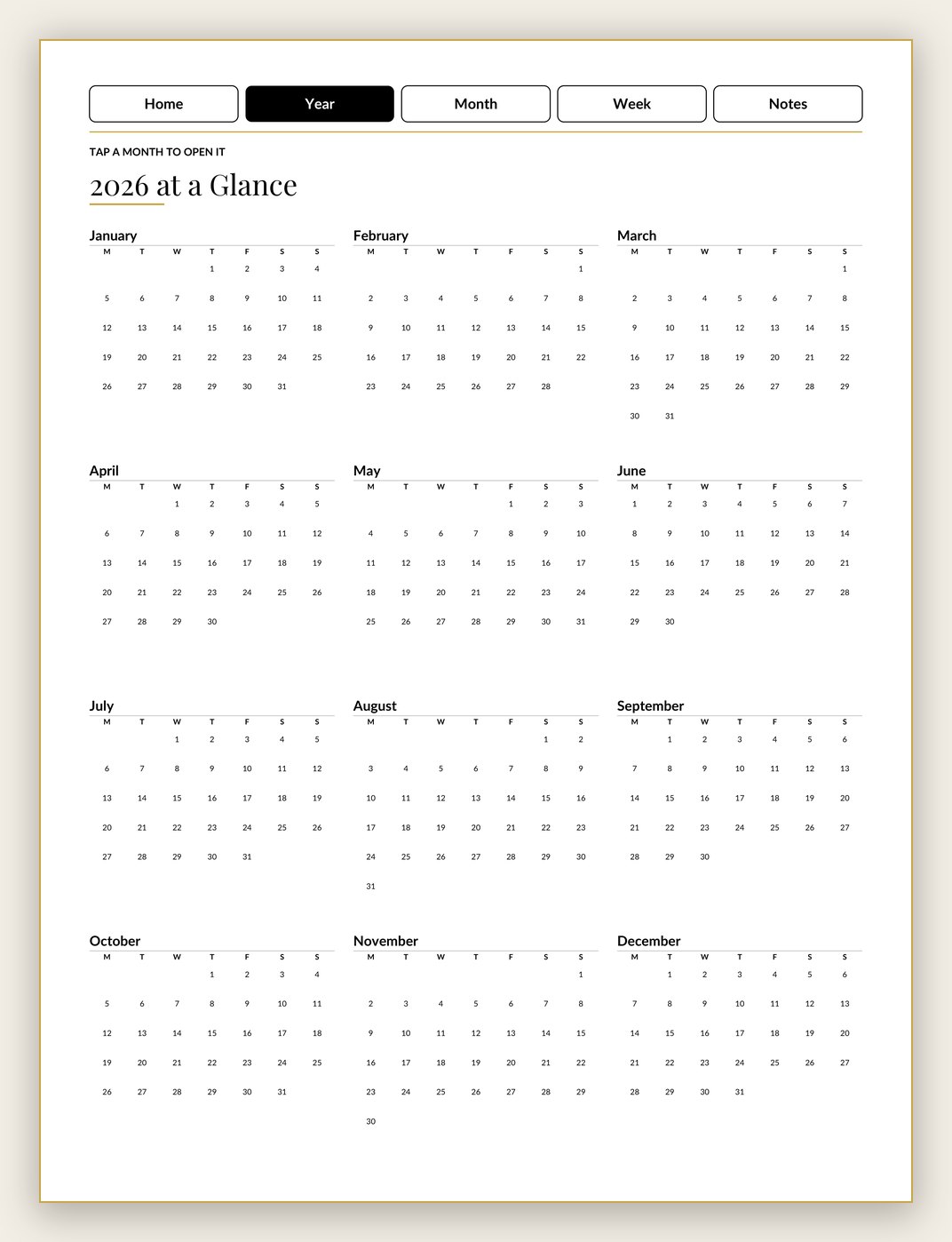
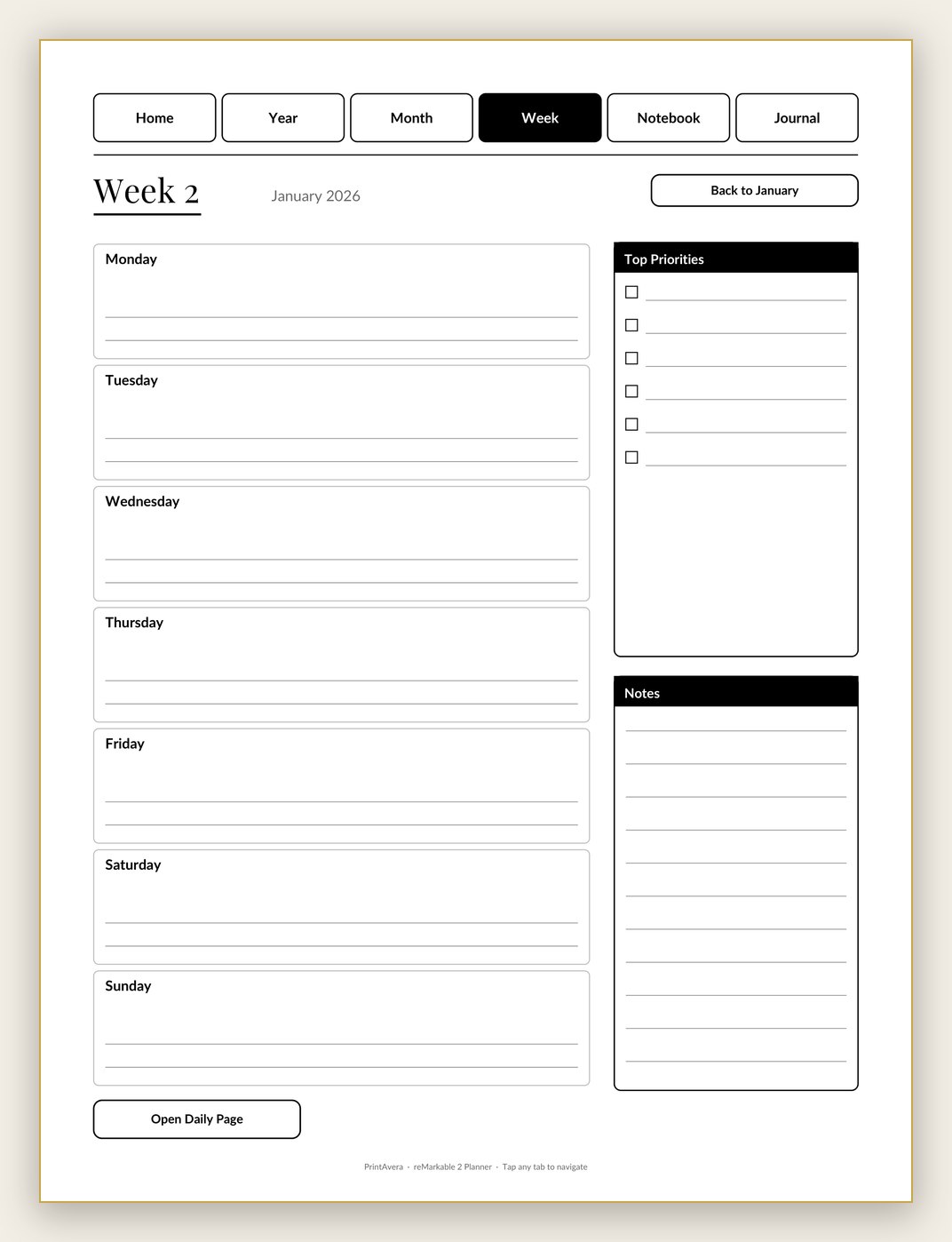
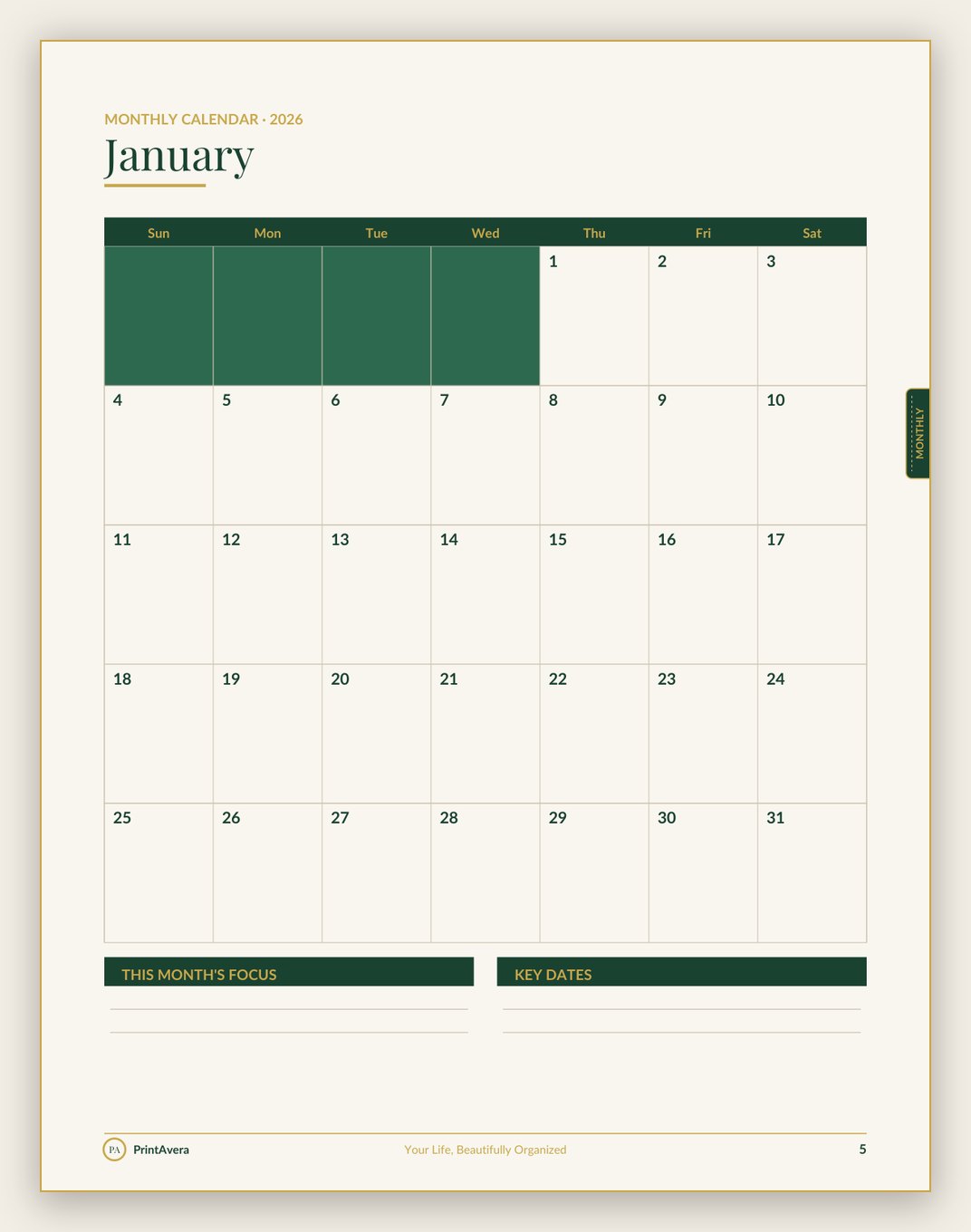
Real pages from this collection — every spread designed in our signature forest-green and gold style. See them all on Etsy →
Shop the Collection
Planners & Accessories
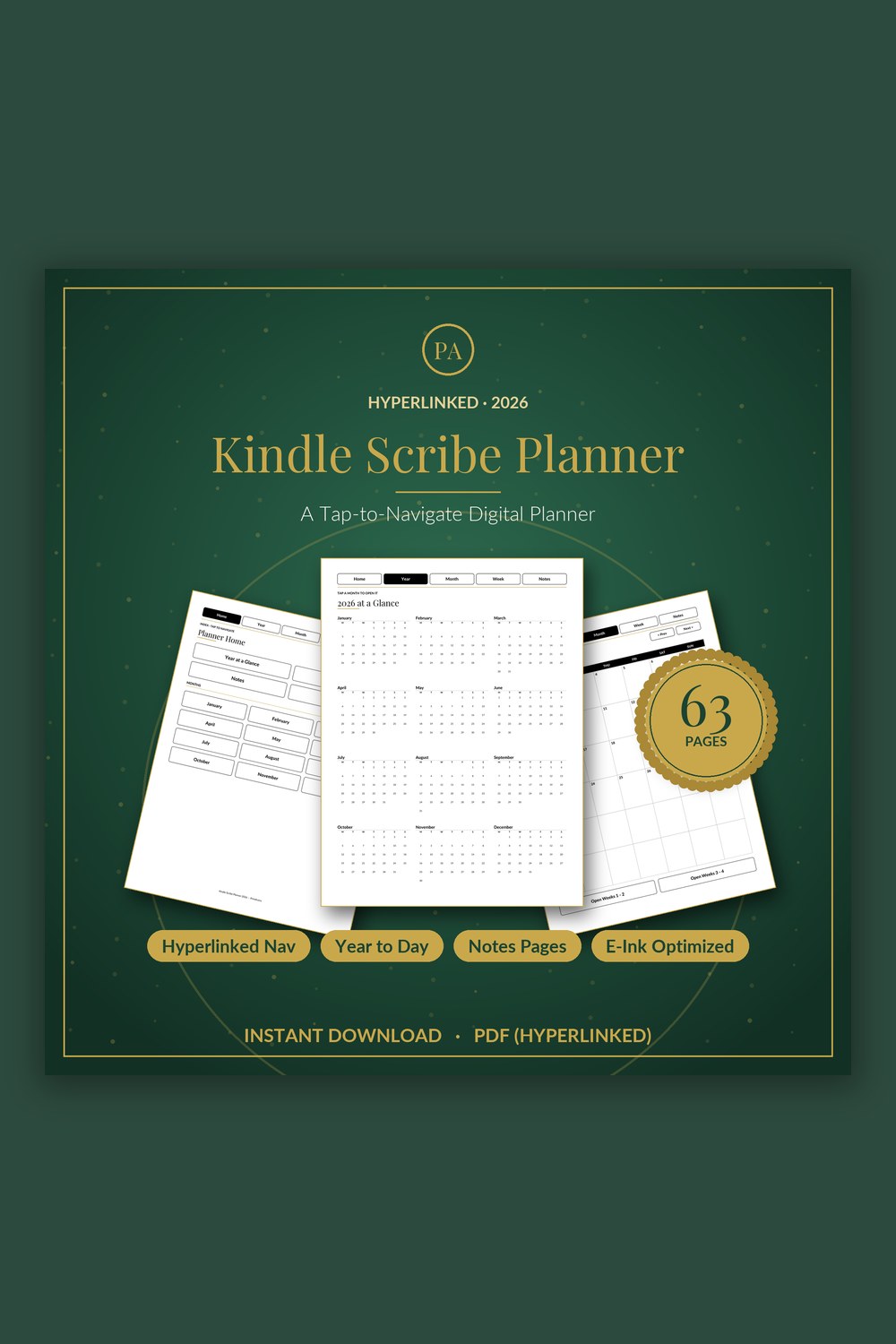
Digital Planner for Kindle Scribe
A fully hyperlinked, e-ink optimized planner built to feel native on your Kindle Scribe
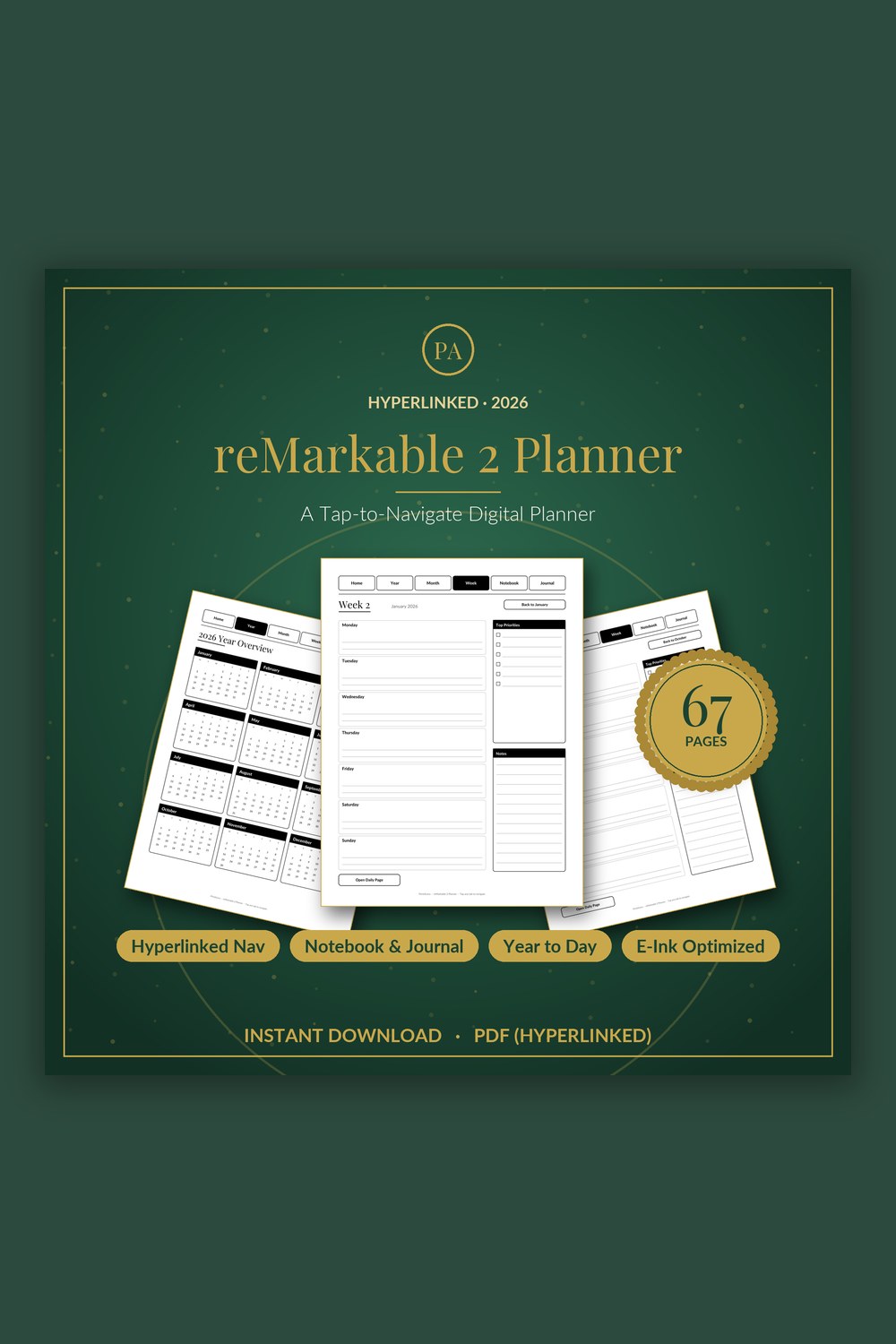
Digital Planner for reMarkable 2
A tap-to-navigate digital planner built for the crisp, distraction-free e-ink screen
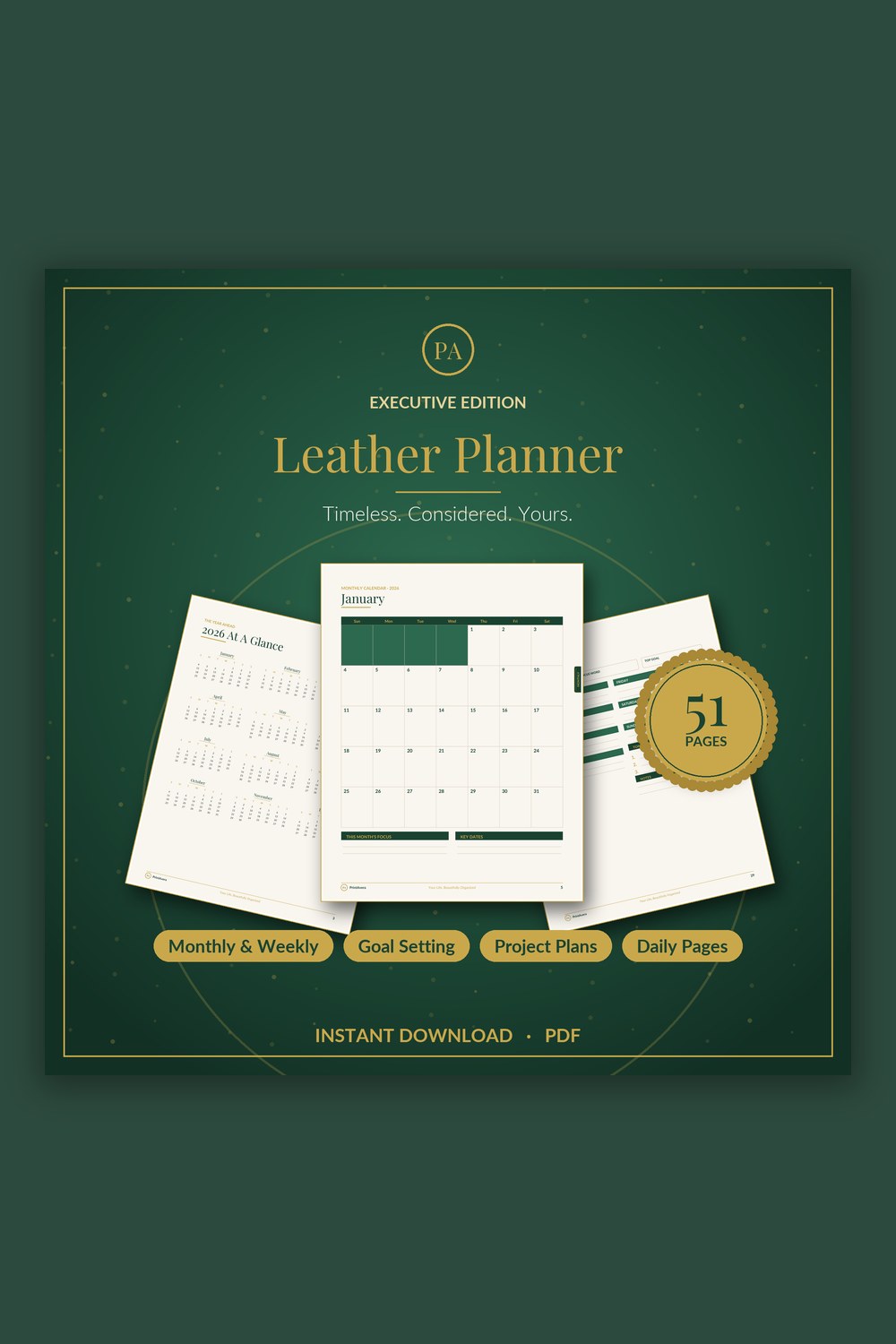
Leather Planner Digital
An executive planner as considered as the work you put into it
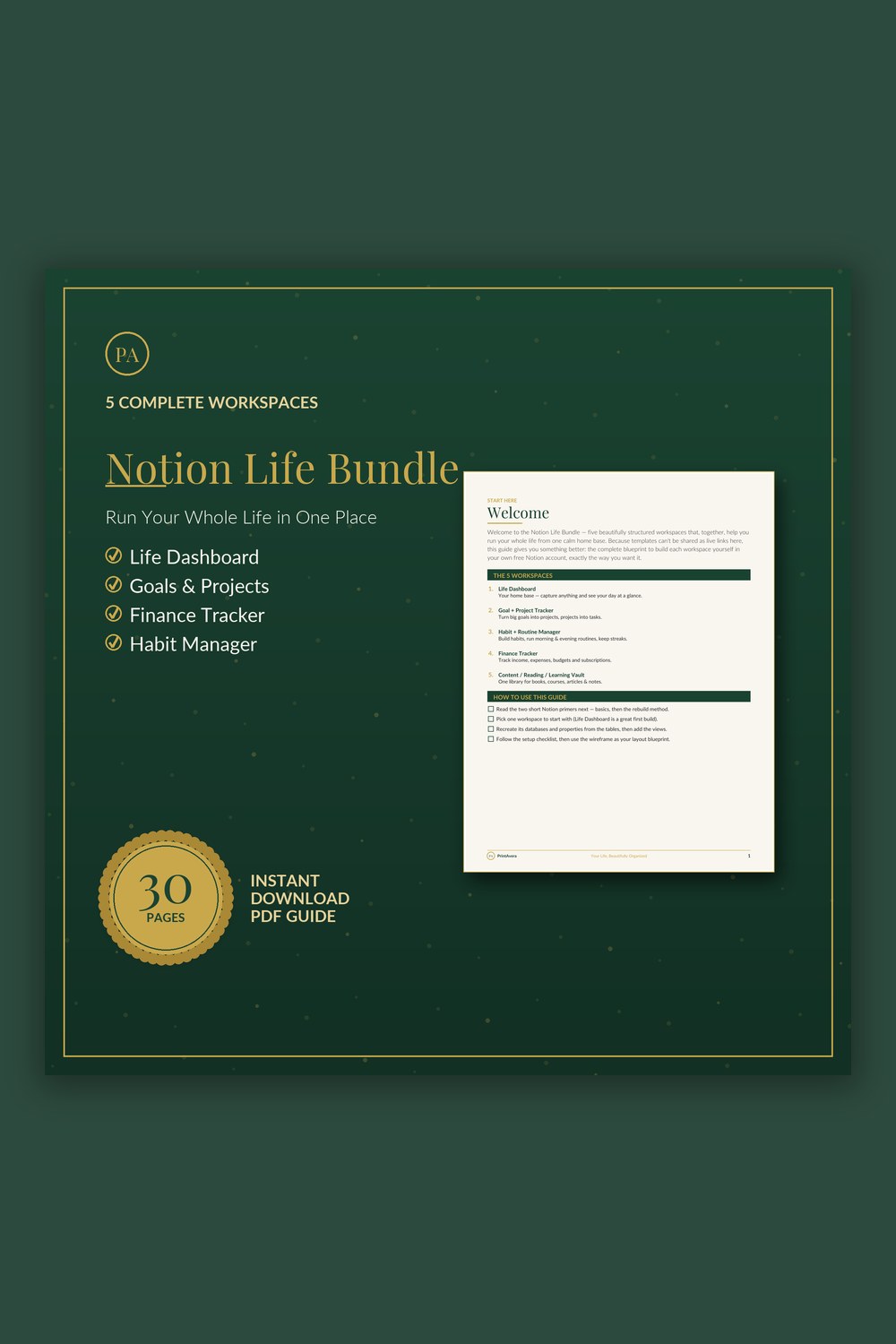
All-in-One Life OS Template for Notion
The complete blueprint to build 5 connected Notion workspaces yourself – databases, properties, views and layouts, fully explained.
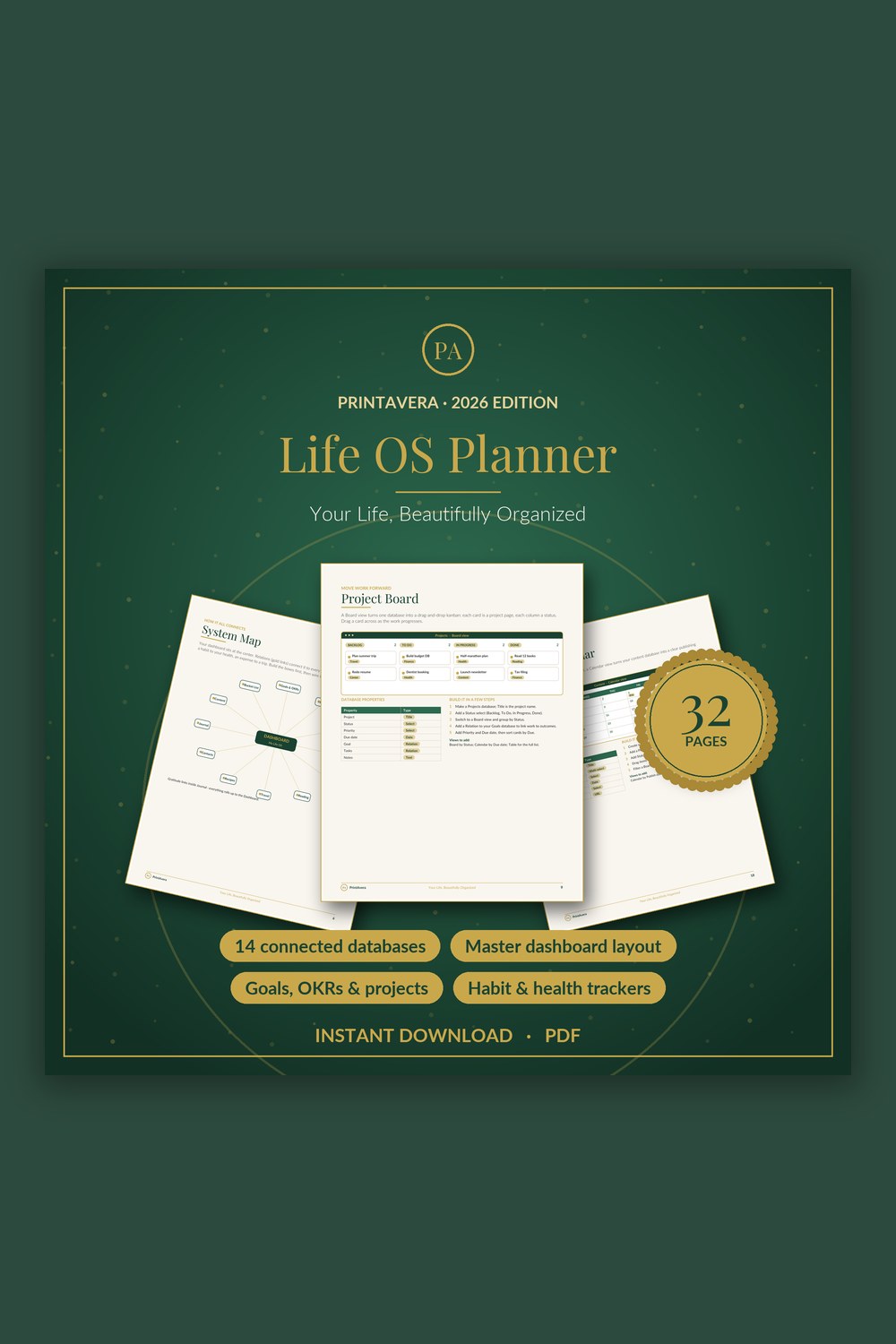
Life Planner Template for Notion
Build your own complete life operating system in Notion – fourteen connected databases and one beautiful dashboard, fully guided from the very first click.
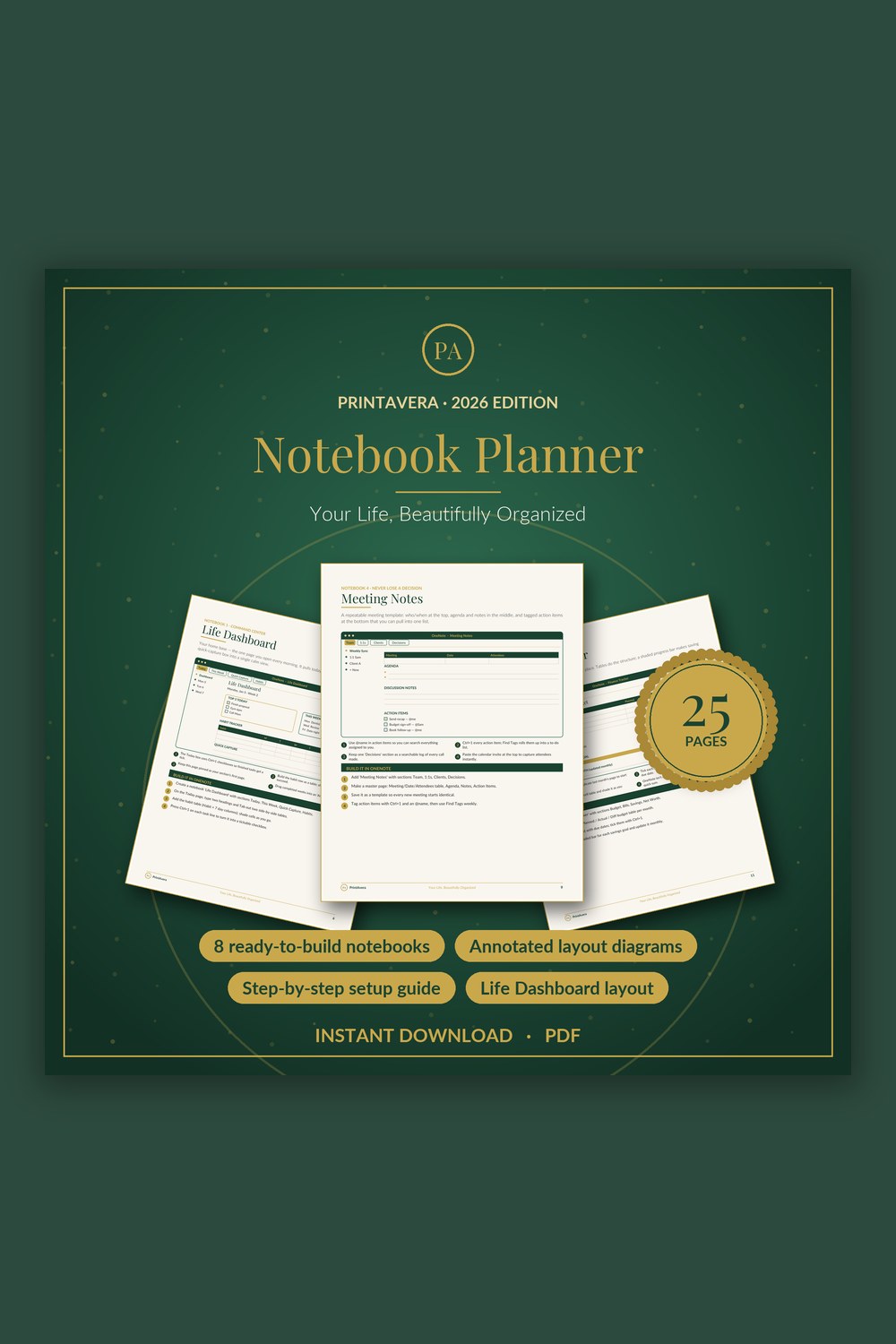
Digital Planner Template for OneNote
Turn the free Microsoft OneNote app into a gorgeous, do-anything digital planner you will actually use.
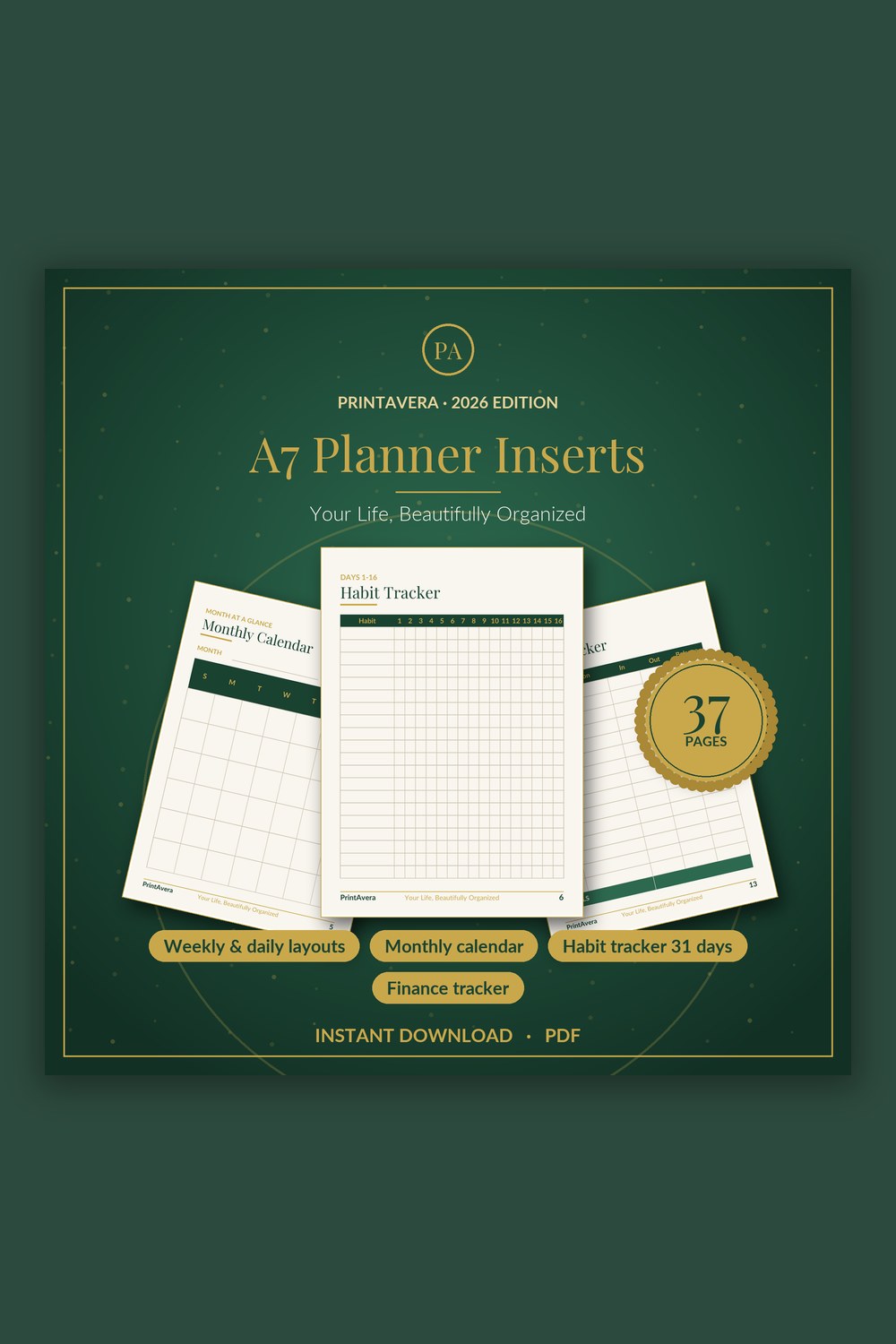
A7 Planner Inserts
A complete, beautifully designed set of pocket planner inserts in both A7 and A6 to keep your days calm, clear, and perfectly organized.
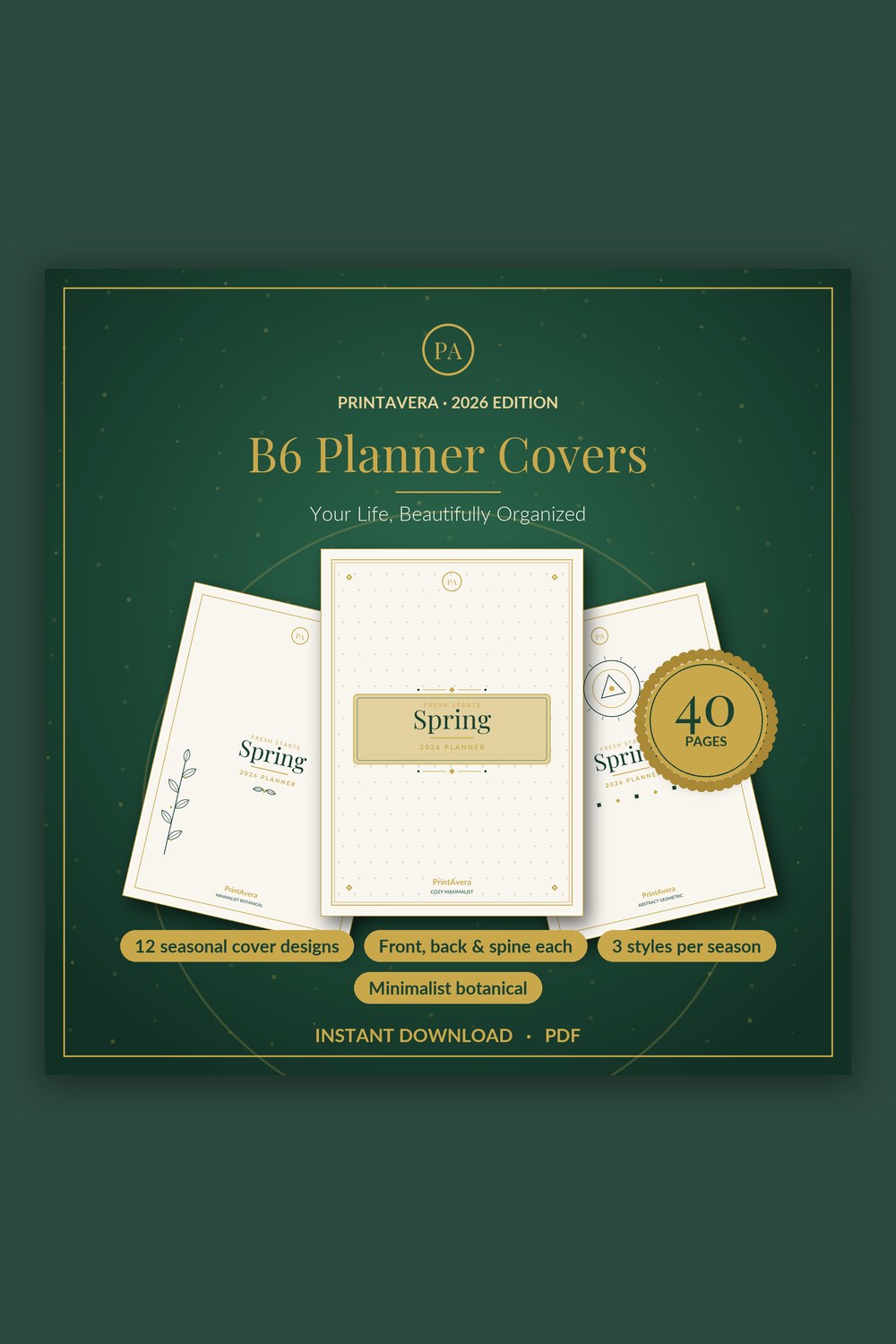
B6 Planner Cover Printable
Twelve gorgeous, print-ready B6 covers to dress up your planner for every season of the year.
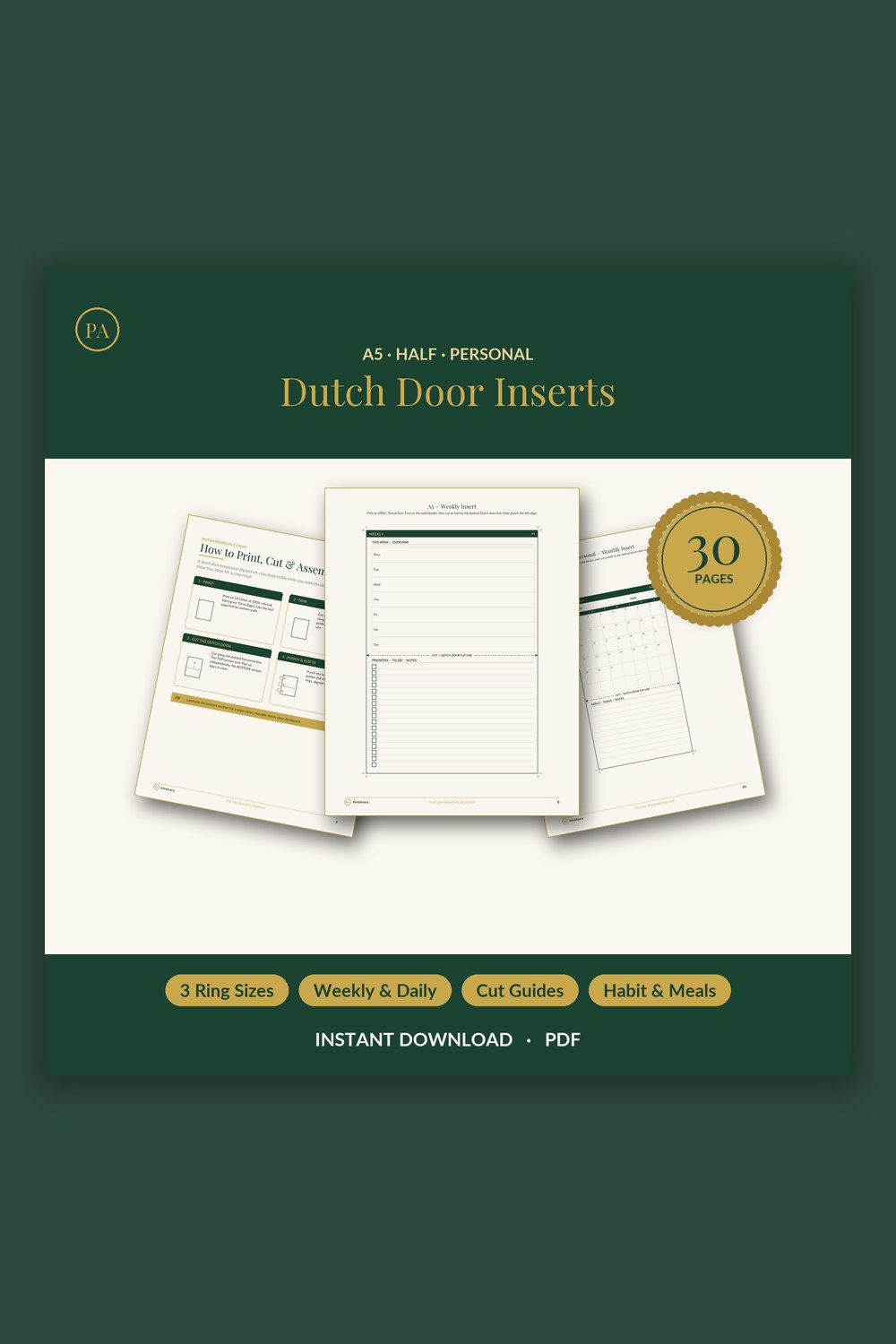
Dutch Door Planner Inserts
Keep your week or month in view while you work the day below it
The Complete Guide
Digital or printable: an honest comparison
The clearest way to choose is to think about how you like to interact with your plans. Printable planning is tactile and flexible. You can print only the pages you need, refill a small binder, and write freely without a battery or an app standing between you and the page. It suits people who enjoy the ritual of paper, who genuinely remember things better when they handwrite them, or who want a low-cost system they can reprint endlessly without ever paying again. The act of writing slows you down just enough to think, which many people quietly love.
The right system is simply the one you will actually open tomorrow, and the day after that.
Digital planning trades that tactile feel for searchability, portability, and tidiness. Everything lives in one place, nothing gets lost in a bag, and you can reorganise without starting the whole thing over. It suits people who already work across devices, who travel light, or who like the idea of a planner that never runs out of pages and never needs reprinting. The trade-off is real, though: a screen can invite distraction, and a flat battery means no plan at all, so honesty about your own habits matters more than any feature list.
Many people land happily in the middle. They keep a digital system for reference, archives, and the bigger picture, then print one or two insert pages for the dailies they like to write by hand. There is no rule that says you must commit to a single church here. The best setup is whichever combination removes friction from your particular week, and a hybrid often captures the calm of paper and the convenience of digital at the same time.
- Choose printable if you think better on paper, love the ritual of writing, or want a refillable low-cost system.
- Choose digital if you want everything searchable, synced, and carried on a device you already use.
- Consider a hybrid if you love writing dailies by hand but want digital reference pages for the bigger picture.
- Be honest about distraction and battery habits before committing fully to a screen-based plan.
Hyperlinked planners on e-ink tablets
E-ink tablets have made digital planning feel far closer to paper than it used to. The matte, glare-free screen is gentle on the eyes, and a device built mainly for writing carries a quiet focus that a buzzing phone never will. A hyperlinked digital planner is designed for exactly this environment. Tabs and links let you jump from a yearly overview to a specific week or a tucked-away note with a single tap, so navigating feels effortless rather than like scrolling endlessly through one long file. The structure does the flipping for you.
A planner can be both completely paperless and genuinely lovely to open each morning.
Layouts matter because these screens differ. A digital planner sized for the Kindle Scribe is built around that device's proportions and writing app, while a planner shaped for the reMarkable 2 suits its slightly different screen and feel, so the pages sit correctly rather than floating awkwardly with margins in the wrong places. If you love the warmth of a beautiful physical cover, a leather-look digital planner brings that same richness to the screen, proving a digital system need not feel cold or clinical. A planner can be both paperless and lovely to open.
A brief but important note: descriptions of devices like the Kindle Scribe and reMarkable 2 here are purely to help you choose a compatible layout. These planners are designed to work well with those tablets but are independent products, not affiliated with, endorsed by, or produced by the companies that make the devices. Always check a listing's format details against your specific tablet before buying, so you know the file will import cleanly into the note-taking app you already use.
- Hyperlinked tabs let you jump between year, month, week, and notes with a single tap.
- Kindle Scribe layouts are sized and structured for that device's screen and writing app.
- reMarkable 2 layouts suit its distinct proportions for clean, paper-like writing.
- Leather-look covers bring the warmth of a physical planner to a paperless setup.
Reader Favourite
Digital Planner for Kindle Scribe
A fully hyperlinked, e-ink optimized planner built to feel native on your Kindle Scribe
Planning your whole life in Notion or OneNote
If you prefer an app-based home for your life rather than a single PDF, Notion and OneNote each offer a different kind of flexibility. Notion shines when you want connection: a template can act as a complete life operating system, linking goals, projects, habits, reading lists, and notes into one workspace where everything relates to everything else. An all-in-one life OS template gives you that connected structure out of the box, while a lighter life planner template keeps things simpler if a full system feels like too much to grow into at once.
OneNote suits a different kind of thinker. It behaves like an endless freeform notebook, where handwriting and typing sit comfortably side by side and pages can sprawl as loosely as your mind does. A digital planner template for OneNote brings gentle structure to that freedom, giving you dated pages and sections without forcing you into rigid databases. If you have ever felt boxed in by overly structured apps, OneNote's open canvas can feel like a relief, and a good template stops that openness from tipping into chaos.
The deciding factor is honest and simple: choose the environment you already open without thinking. A planner you have to remember to visit rarely survives the month, no matter how elegant it is. If your work already lives in Notion, plan there. If you scribble notes in OneNote across your laptop and phone, plan there instead. The most sophisticated template in the world cannot compete with the app your hands already reach for out of habit.
- Notion all-in-one life OS: best when you want goals, projects, habits, and notes interconnected.
- Notion life planner: best if you want connection without the weight of a full system yet.
- OneNote template: best for freeform pages that mix handwriting and typing across devices.
- Whichever you pick, choose the app you already open daily out of habit.
Insert sizes and clever dutch-door layouts
If you are building a physical planner, the size of your inserts quietly shapes the whole experience. A7 inserts are pocket-sized and wonderfully portable, ideal for a slim carry-everywhere planner that holds only the essentials and never weighs down a bag. B6 sits comfortably in the middle, roomy enough to write in without cramping your hand yet still easy to slip into most bags, which is exactly why it has become such a beloved everyday size. Pairing a B6 cover printable with your inserts lets you personalise the look while keeping the practical dimensions you genuinely use.
Match the format to your real habits and the planner stops fighting you and starts helping.
Layout matters as much as size, and this is where a small design idea makes a surprising difference. A dutch door layout uses a shorter middle page so that two spreads stay visible at once. In practice, this means you can keep your weekly overview in view while writing on the daily or notes page tucked beneath it, instead of flipping back and forth and losing your place. Dutch door planner inserts are a quiet favourite among people who like to see the week and the day at the same time, because the design keeps the pages you reference most always within sight.
When you are choosing inserts, start from how you actually plan day to day rather than from what looks prettiest in a photo. If you carry your planner everywhere and jot quick notes, lean A7. If you write longer entries and want room to breathe, lean B6. If you constantly find yourself wishing you could see the whole week while filling in today, a dutch door layout was practically made for you. Match the format to your real habits and the planner stops fighting you and starts helping.
- A7 is pocket-sized and ideal for a minimal, grab-and-go planner with just the essentials.
- B6 offers comfortable writing room while staying bag-friendly, a popular everyday size.
- A matching B6 cover printable personalises the look without changing the practical size.
- Dutch door inserts keep your weekly view visible while you write on the daily page.
Find your perfect Planners & Accessories printable
Each design is an instant digital download — buy it, download it, and start today. Print at home or use it on any tablet.
Building a planning setup that actually lasts
The most common reason planners get abandoned is not the planner. It is that the setup asked for more than your week could realistically give. A system that demands twenty minutes of upkeep a day will quietly collapse the first busy week, and the guilt of falling behind often finishes off what the busyness started. The cure is to start smaller than feels impressive. Plan only the layer you will genuinely maintain, then add complexity later, once the simple version has proven it can survive your real life rather than your ideal one.
A planner is a tool in service of your life, never a test of your worth.
It also helps to give your planning a fixed home in time, not just in format. A short weekly reset, perhaps fifteen quiet minutes on a Sunday, is where a planner earns its keep: you look back, look ahead, and set the week up so it can carry you. Pair that with a single daily glance, and you have a rhythm sturdy enough to last. The tools matter far less than the ritual; an elaborate setup checked once a month helps less than a humble one you actually open every morning.
Finally, give yourself permission to switch formats without calling it failure. Outgrowing a system simply means you learned something about how you work. Maybe paper proved too easy to lose and a digital planner on your tablet fits better, or maybe an app felt distracting and a printed B6 brought back the calm. A planner is a tool in service of your life, not a test of your worth, and the people whose systems last are simply the ones willing to keep adjusting until the fit feels effortless.
- Start smaller than feels impressive and add complexity only once the simple version sticks.
- Give planning a fixed time, such as a fifteen minute weekly reset, not just a format.
- Pair a weekly review with a quick daily glance for a rhythm that genuinely lasts.
- Switching formats is learning, not failure; keep adjusting until the fit feels effortless.
Frequently Asked Questions
Will a digital planner work on my Kindle Scribe or reMarkable 2?
Yes, hyperlinked PDF planners are made to be imported into the note-taking apps on these e-ink tablets, where the tabs and links let you navigate by simply tapping. Layouts are sized for each device so the pages fit the screen properly rather than floating with awkward margins. These products are designed to be compatible with those tablets but are independent and not affiliated with, endorsed by, or produced by their manufacturers. As always, check the listing details to confirm the format matches your specific device before buying.
What size planner insert should I choose?
It comes down to how you carry and use your planner day to day. A7 is pocket-sized and great for a minimal, grab-and-go setup, while B6 gives you more writing room while staying bag-friendly, which makes it a popular everyday choice. If you tend to write a lot or like to see plenty at a glance, lean larger; if portability matters most to you, lean smaller. You can also mix sizes across different planners for different purposes, such as a slim A7 for daily carry and a B6 for your main planning at home.
What is a dutch door planner layout and who is it for?
A dutch door layout has a shorter centre page, so when you open the planner you can see two spreads at the same time. In practice this lets you keep your weekly view visible while writing on the daily or notes page tucked behind it, instead of flipping back and forth and losing your place. It is especially handy for people who like to reference the whole week while focusing on a single day. If you have ever felt frustrated turning pages to check what is coming up, this layout was made for you.
Should I use Notion or OneNote for life planning?
Choose the one you are already comfortable opening, since the best system is simply the one you return to without thinking. Notion shines when you want a connected workspace where goals, projects, habits, and notes all link together, almost like a personal operating system. OneNote suits people who prefer freeform pages and an easy blend of handwriting and typing on an open canvas. Both work beautifully, so let your existing habits and device setup make the decision rather than chasing whichever looks more impressive online.
Is paper or digital better for actually sticking with planning?
Neither is universally better; what sticks is the format that matches how your days really run. Paper rewards people who think while writing and enjoy a screen-free ritual, while digital rewards people who live across devices and want everything searchable in one place. The honest test is which one you would still open on a chaotic Tuesday when you are tired. Many people thrive on a hybrid, keeping digital reference pages alongside a few printed dailies, so do not feel you must commit to only one.
How do I keep from abandoning my planner by February?
Start smaller than feels impressive and only maintain the layer you will genuinely keep up with, because most planners are abandoned for asking too much of a busy week. Give your planning a fixed time, such as a short weekly reset, so it becomes a gentle ritual rather than a chore you forget. Pair that with a quick daily glance and the rhythm holds. If a format stops fitting, switching is learning rather than failure, so adjust freely until the system feels effortless to keep.
How do I receive and use these planners and templates?
These are instant digital downloads, so after purchase you receive the files right away with nothing shipped to wait for. Digital planners are imported into your tablet's note-taking app, printable inserts and covers can be printed at home or at a copy shop as often as you like, and template files open in the relevant app such as Notion or OneNote. Because you keep the files, you can reuse or reprint them whenever you start a new planning cycle, which makes setting up a fresh year quick and inexpensive.
Why PrintAvera?
Every PrintAvera design is created in-house to a five-star standard — considered layouts, calm forest-green and gold styling, and typography chosen to make every page feel intentional. Each one is an instant digital download you can print at home or use on any tablet in minutes. Beautiful enough that you will actually want to use it, every single day.
Explore More Collections